
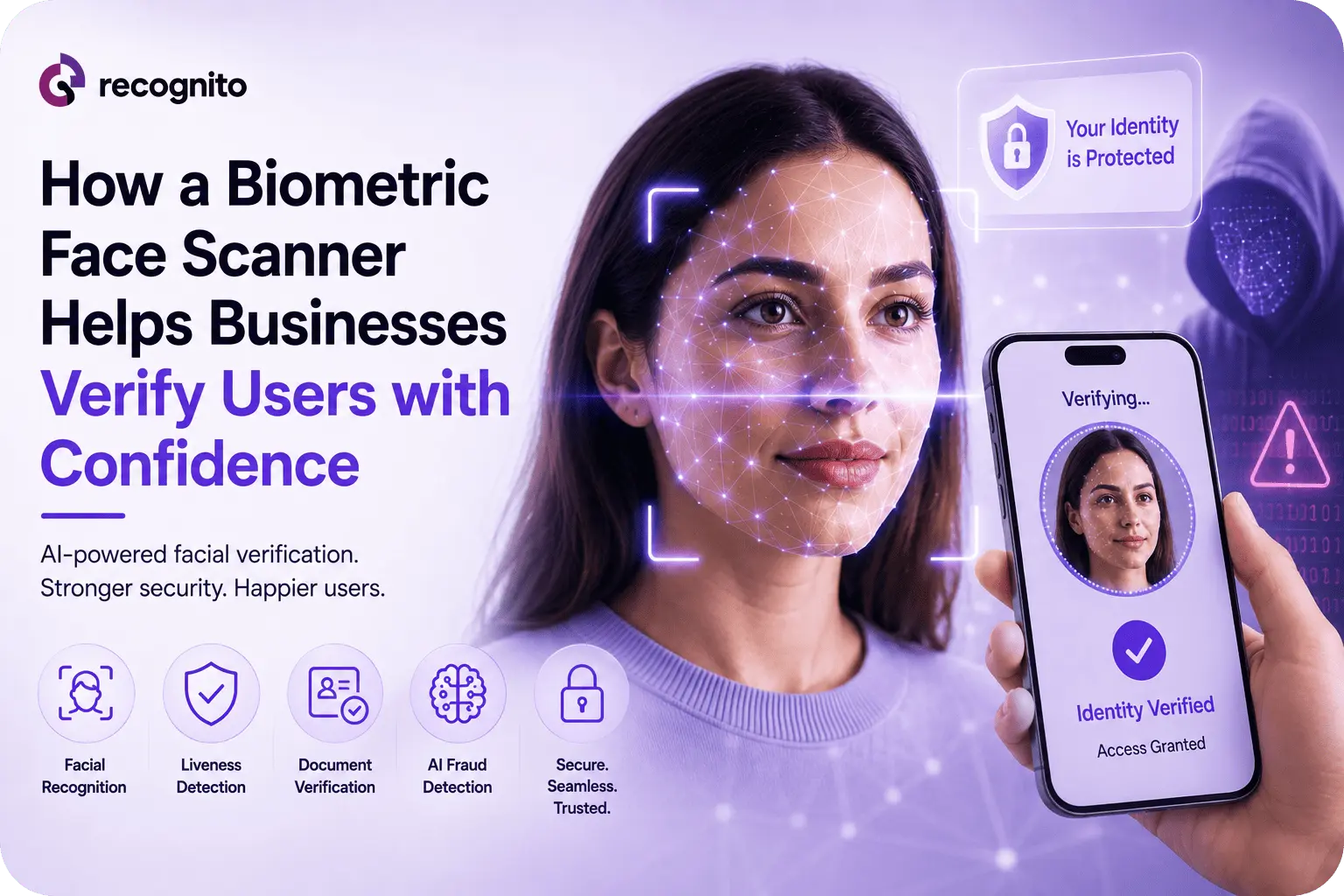
A customer can enter the correct name, upload a genuine identity document, and still not be the person behind the application. That is the central problem biometric face scanning helps address.
Instead of relying only on information a user provides, a biometric face scanner analyzes physical facial characteristics and turns them into evidence that can be compared with a trusted reference. In a business environment, that can mean comparing a selfie with an identity document portrait, authenticating an enrolled customer, or supporting a higher-confidence access decision.
The value is not simply that a camera can recognize a face. A useful business solution must capture a usable image, detect a face, perform biometric matching, resist presentation attacks, handle difficult capture conditions, and fit into the organization’s broader identity and fraud controls.
Why Businesses Are Using Biometric Face Scanners
Passwords, PINs, account details, and identity numbers are valuable because attackers can steal or reuse them. A face introduces a different category of evidence: something tied to the individual rather than something they merely know.
That makes facial biometrics useful at several points in the customer lifecycle. A fintech may use a face scan during onboarding, an online service may use it during account recovery, and an enterprise may use it for authentication or controlled access.
The advantage is strongest when physical presence matters. A remote user cannot hand an employee an identity document, so the workflow must connect the person on screen with the claimed identity.
FIDO’s face verification certification program reflects this requirement by evaluating face verification solutions for remote identity use cases, including selfie matching, liveness, security, usability, and demographic considerations.
How a Biometric Face Scanner Verifies a User
A biometric face scanner is a pipeline, not a single recognition function.
1. Face capture
The camera captures an image or video of the user. The application may provide framing and lighting guidance so the system receives a usable facial sample.
2. Face detection and quality assessment
The software locates the face and determines whether the image is suitable for analysis. Excessive blur, poor exposure, extreme pose, or an obstructed face can reduce the quality of the biometric evidence.
3. Feature extraction
The model converts the facial sample into a mathematical representation and compares it with an enrolled or trusted reference.
4. Matching
The similarity score is evaluated against a threshold. A higher threshold may reduce incorrect matches but increase legitimate-user failures.
5. Liveness and attack detection
Matching alone is not enough. A fraudster may try to present a photograph, replayed video, mask, or manipulated media. A separate liveness layer helps determine whether the biometric input appears to come from a live subject.
This is why the scanner should be evaluated as part of the complete verification workflow rather than as a standalone feature.
Verification and Identification Are Different
One important design decision is whether the scanner performs verification or identification.
Verification is 1:1. The user claims an identity and the system checks whether the captured face matches the expected reference.
Identification is 1:N. The captured face is searched against a gallery to find a possible identity.
For most customer onboarding and authentication workflows, 1:1 verification is the relevant model. Identification introduces a larger search problem because the system must compare against many possible identities and control the risk of false candidates.
NIST’s current FRTE 1:1 evaluation reports face verification performance using metrics such as false match and false non-match rates. Its separate FRTE 1:N evaluation addresses identification performance.
For procurement teams, this distinction prevents a common mistake: comparing a benchmark designed for one recognition scenario with a business workflow that uses another.
Where Biometric Face Scanning Creates Business Value
Remote onboarding
A face scanner lets a customer provide biometric evidence using a camera rather than visiting a branch or using dedicated hardware. This makes it well suited to digital account opening and identity verification.
It can become especially useful when combined with document verification. The document establishes identity attributes and a trusted portrait, while the live facial capture helps connect that evidence to the applicant.
Account recovery and re-verification
Account takeover does not always begin with a stolen password. Attackers may manipulate recovery processes or social-engineer support teams.
A biometric check during high-risk recovery can provide an additional identity signal. Rather than trusting only credentials that may already be compromised, the business can require evidence tied to the user.
Authentication
Biometric face scanning can also support recurring authentication. Once a customer has been securely enrolled, a subsequent face comparison can help verify that the person requesting access matches the established identity.
The appropriate design depends on the threat model, but the basic principle is consistent: biometrics work best as one component of a broader authentication architecture.
The difference between biometric and conventional authentication is discussed further in biometric authentication versus traditional authentication methods.
Physical and digital access
A face scanner can support hands-free access to controlled spaces, systems, or services. This is attractive where organizations want faster entry without issuing another credential that can be lost or shared.
Accuracy Depends on More Than the Model
A sophisticated recognition model cannot compensate indefinitely for bad input.
Lighting, camera position, motion, image resolution, occlusion, facial pose, and reference-image quality can all affect matching results. NIST’s current FRTE results show why businesses should evaluate error rates at specific operating points instead of relying on a generic accuracy percentage.
Demographic evaluation is also important. NIST reports that false-negative behavior can be strongly affected by image quality and that demographic differences can appear in biometric error rates. ISO’s biometric performance standard provides a broader framework for measuring and reporting biometric performance, while ISO’s demographic-performance standard addresses variation across demographic groups.
The production question is not “How accurate is it?” but “How does it perform for our users, devices, environments, and security thresholds?”
For a production deployment, the right test set should resemble the people and conditions the system will encounter after launch.
Liveness Is a Critical Security Layer
A face match can be technically correct and still be unsafe.
Suppose an attacker has a photograph of a legitimate customer. If the system only compares facial appearance, the photograph may resemble the reference closely enough to create risk. The same problem can arise with replayed video or manipulated media.
Liveness detection is designed to make that attack harder by evaluating whether the biometric presentation appears genuine and live.
FIDO’s certification framework explicitly considers liveness and resistance to spoofing and deepfake threats alongside face matching. For businesses, that reinforces an important architectural principle: identity matching and presentation-attack detection should be evaluated separately.
This is particularly important for remote onboarding, where the organization does not control the camera environment.
The Business Case Extends Beyond Fraud Reduction
Security is the obvious benefit, but a face scanner can also affect operations.
A well-designed biometric workflow can reduce repetitive manual checks, speed up identity decisions, and make verification available outside branch hours. That can reduce review costs while supporting faster customer activation.
It can also improve consistency. Manual reviewers may interpret borderline evidence differently, while automated systems can apply defined matching and quality rules consistently before escalating uncertain cases.
The key is to automate predictable decisions without hiding difficult cases from human reviewers.
What Can Go Wrong?
A biometric scanner is not automatically secure simply because it uses AI.
Poor captures
A legitimate customer may fail because of low light, glare, motion, an old camera, or an incorrect capture angle. The workflow needs clear guidance and sensible retries.
False matches
An incorrect acceptance can create security exposure. Thresholds should therefore reflect the value of the protected account or transaction.
False non-matches
Rejecting legitimate customers creates friction, support costs, and abandoned onboarding. A fallback path is essential.
Presentation attacks
Photographs, replays, masks, manipulated media, and other spoofing techniques require dedicated defenses.
Privacy failures
Biometric information requires careful governance. Businesses need clear rules for collection, transmission, storage, retention, access, and deletion.
Overreliance on automation
A “pass” result should not always be treated as unquestionable. High-risk or contradictory cases may need additional checks or human review.
How to Evaluate a Biometric Face Scanner
A practical evaluation should combine benchmark evidence with real-world testing.
| Evaluation area | What to test | Why it matters |
| Matching | False-match and false-non-match behavior | Shows security versus usability trade-offs |
| Capture quality | Lighting, pose, blur, camera variation | Determines real-world reliability |
| Liveness | Photos, replays, masks, manipulated media | Tests presentation-attack resistance |
| Demographics | Performance across relevant user groups | Identifies uneven outcomes |
| Workflow | Retries, fallbacks, manual escalation | Protects customer experience |
| Integration | SDKs, APIs, latency, supported platforms | Determines deployment effort |
| Privacy | Data flows, retention, access controls | Reduces governance and security risk |
| Monitoring | Failure, fraud, and conversion metrics | Enables continuous improvement |
The vendor’s algorithm is only one part of the decision. Teams should test the actual capture experience, the matching threshold, failure states, liveness behavior, and how the results reach the business decision engine.
For developers evaluating face-scanning components, a facial biometric SDK can provide the integration layer needed to embed biometric verification into an application.
When hands-on evaluation is useful, a face biometric playground can also help teams explore behavior before committing to a production workflow.
Privacy Should Be Designed Into the System
Facial data is not ordinary application data. The security architecture should minimize unnecessary collection and define how biometric templates and source images are protected.
Questions should be answered before rollout:
- Is the original image stored, or only a derived representation?
- Where is biometric processing performed?
- How long is data retained?
- Which employees or systems can access it?
- What happens when a customer withdraws or the verification session ends?
- Are third-party processors involved?
These controls are as important as model accuracy because a highly accurate scanner can still create serious risk if biometric data is handled poorly.
A Better Architecture: Layered Verification
The strongest business deployments rarely depend on a face scanner alone.
A more resilient architecture might combine:
Document evidence to establish claimed identity.
Face matching to connect the applicant to the identity evidence.
Liveness to reduce presentation-attack risk.
Fraud signals to identify suspicious behavior outside the biometric layer.
Risk rules to determine when extra verification is needed.
Human review for ambiguous or high-risk cases.
This makes the scanner one part of a broader trust decision rather than giving a single biometric score complete authority.
The wider role of biometrics in fraud prevention is covered in fraud prevention with face biometrics.
Monitoring After Deployment
Production monitoring should begin on day one.
Track verification completion, failed captures, retries, manual-review rates, false accepts, false rejects, fraud outcomes, and performance across devices and relevant user groups.
Changes in devices, software, or fraud tactics can alter results.
For that reason, biometric verification should be treated as a continuously monitored security capability rather than a feature that is implemented once and forgotten.
Conclusion
A biometric face scanner gives businesses a practical way to add physical identity evidence to digital interactions. Its real value appears when facial matching is combined with liveness, strong capture controls, appropriate thresholds, privacy safeguards, and broader fraud and identity signals.
The best deployments do not promise perfect recognition. They define acceptable error levels, test realistic conditions, provide secure fallbacks, and monitor performance after launch.
For organizations building identity and verification workflows, Recognito offers biometric technologies that can support face-based verification as part of a broader security architecture.
Frequently Asked Questions
Is a biometric face scanner the same as facial recognition?
Facial recognition is the underlying biometric matching capability. A biometric face scanner usually refers to the complete capture and verification experience, including camera capture, face detection, matching, quality controls, and potentially liveness.
Can a face scanner prevent identity fraud?
It can reduce certain forms of impersonation and spoofing, especially when facial matching is combined with liveness and document verification. It is not a complete fraud solution by itself.
What is better for business: 1:1 verification or 1:N identification?
For customer verification and authentication, 1:1 is usually the more relevant model because the user claims an identity and the system checks that claim. 1:N is designed for searching a person against a larger identity gallery.
Does facial recognition work in poor lighting?
Performance can degrade when image quality is poor. Businesses should test the solution under the lighting, camera, pose, and device conditions their users actually encounter.
Should businesses store facial images?
Not necessarily. The appropriate data architecture depends on the use case, security model, legal requirements, and retention policy. Organizations should minimize unnecessary biometric collection and define clear controls for storage and deletion.