
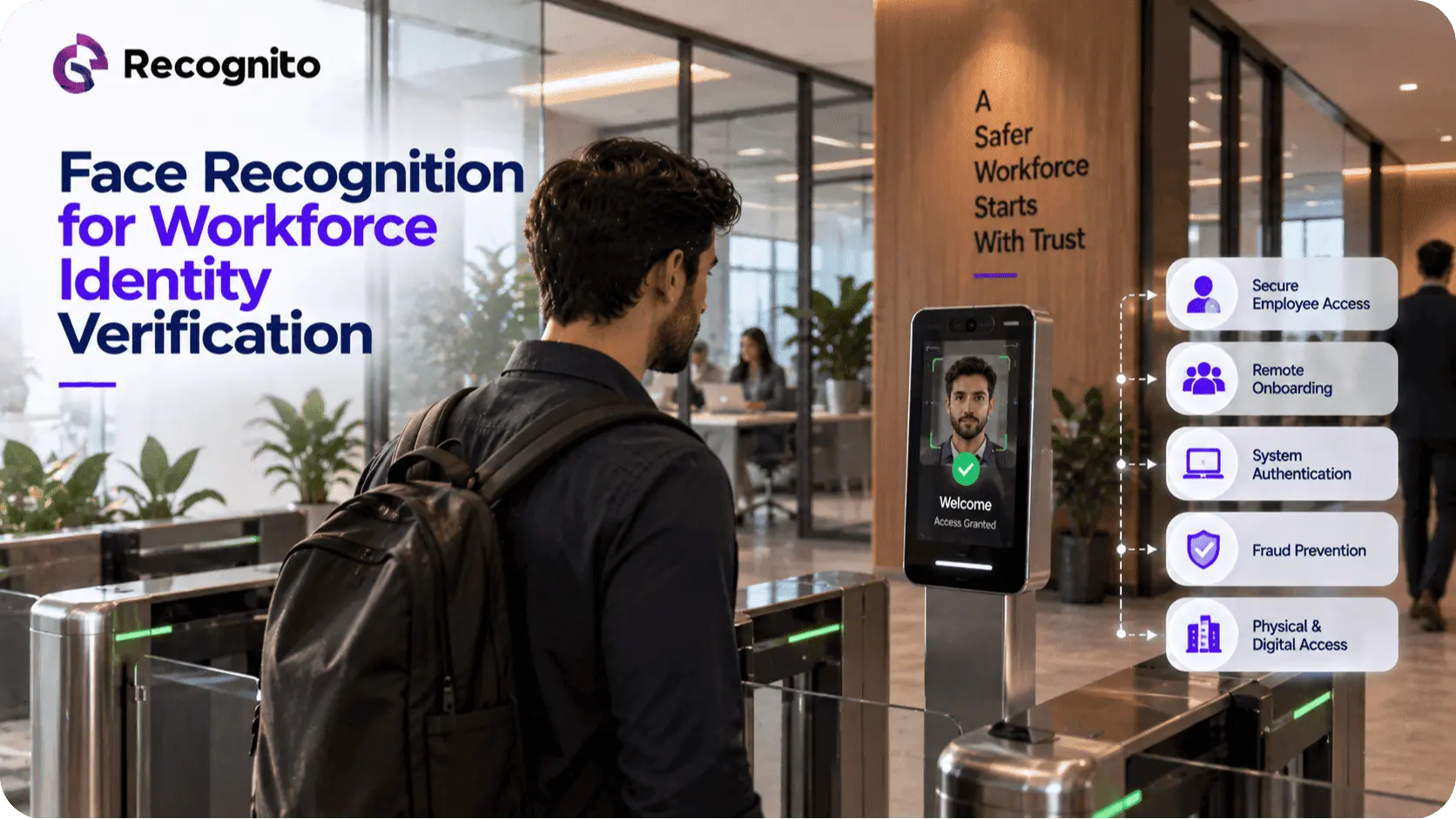
Workforce identity verification is becoming increasingly important as organizations move employee onboarding, authentication, access management, and workforce operations into digital environments.
An enterprise may need to verify a new employee remotely, confirm that a person accessing a sensitive system is the correct individual, or strengthen authentication for high-risk resources. Traditional credentials such as passwords, PINs, access cards, and security questions can all play a role, but they do not always provide strong assurance that the person using the credential is actually the authorized employee.
Biometric verification adds another layer.
Face recognition can help connect an employee to a trusted identity, while liveness detection can help protect remote biometric capture from presentation attacks. When these capabilities are integrated with workforce identity systems, access controls, device intelligence, and enterprise security policies, they can provide a stronger identity architecture.
The goal is not to replace every existing security control with facial recognition.
It is to use workforce identity verification where biometric assurance provides meaningful additional value while maintaining security, privacy, accessibility, and employee experience.
What Is Workforce Identity Verification?
Workforce identity verification is the process of establishing and confirming that an individual is the employee, contractor, or authorized workforce member they claim to be.
This can occur at several points in the employee lifecycle.
A company may need to verify a person:
- Before creating an employee identity
- During remote workforce onboarding
- Before issuing access credentials
- When authenticating to sensitive systems
- During account recovery
- When accessing high-risk resources
- During certain physical or digital access events
The verification requirement should depend on the risk.
An employee accessing a standard internal application may not require the same level of identity assurance as someone accessing financial systems, privileged infrastructure, sensitive customer data, or administrative controls.
This makes workforce verification a broader concept than simply using facial recognition at login.
Why Employee Verification Is Changing
The modern workforce is increasingly distributed.
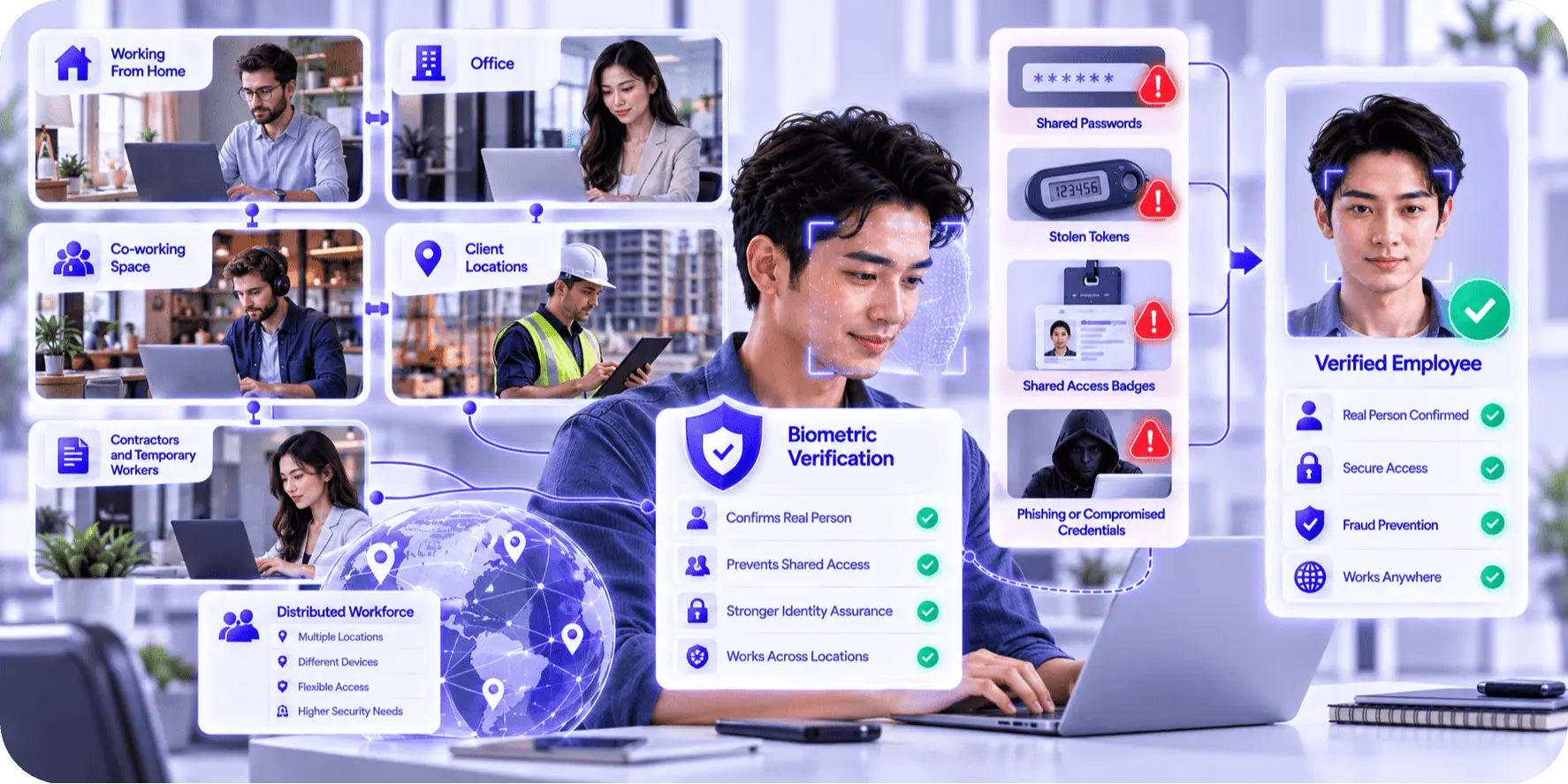
Employees can work from offices, homes, co-working spaces, client locations, and other environments. Contractors and temporary workers can also require access without becoming traditional full-time employees.
This makes it harder for organizations to rely on physical presence as an identity signal.
An employee can possess a valid password, security token, or access badge without necessarily being the authorized person.
Credentials can be shared, stolen, phished, or compromised.
Biometric verification provides a fundamentally different signal because it is based on characteristics of the person rather than something they simply know or possess.
That makes employee verification particularly relevant for high-assurance workforce identity workflows.
How Face Recognition Supports Workforce Identity
Face recognition can compare a newly captured facial sample with a trusted reference associated with an employee identity.
During workforce onboarding, the reference may come from an established identity record or another trusted enrollment process.
During authentication, the comparison can help establish whether the person presenting the biometric appears to correspond with the enrolled employee.
For organizations integrating this capability into their own applications, an enterprise face recognition SDK can provide the biometric matching component.
This can be integrated with the organization’s existing identity and access architecture rather than forcing employees into a separate standalone biometric application.
The important point is that facial recognition should support an established identity.
A biometric match by itself does not determine whether the underlying employee identity was properly created or whether the employee has permission to access a particular system.
Workforce Onboarding Is the First Important Use Case
Remote workforce onboarding can create a unique identity challenge.
If an employee never physically visits an office, the organization needs another way to establish that the person joining remotely is the person associated with the employment record.
A workforce onboarding workflow may therefore combine:
- Employee identity information
- Identity documentation where appropriate
- Facial verification
- Liveness detection
- HR or identity-system validation
- Credential provisioning
- Access policy assignment
The exact process depends on the organization’s legal, security, and employment requirements.
The important principle is that identity should be established before sensitive access is provisioned.
Biometric verification can strengthen this step by adding person-to-identity assurance.
Why Liveness Matters for Workforce Biometrics
Face matching does not automatically establish that a real employee is physically present.
An attacker who obtains employee identity information may attempt to present:
- A photograph
- An image displayed on another screen
- Replayed video
- A mask
- Synthetic facial media
This creates a presentation attack problem.
A biometric liveness SDK can provide an additional layer by assessing whether the biometric presentation appears to originate from a genuine live subject.
The distinction is important:
Facial verification asks whether the person appears to correspond with the enrolled employee identity.
Liveness detection asks whether the biometric presentation appears genuine.
These controls can work together as part of a stronger workforce identity architecture.
Organizations considering different liveness models can also review active and passive liveness detection when evaluating user interaction, security, and implementation requirements.
Face Recognition for High-Risk Workforce Access
Not every employee action requires biometric verification.
The technology becomes particularly valuable when the consequences of unauthorized access are significant.
Examples can include access to:
- Financial administration systems
- Production infrastructure
- Privileged accounts
- Sensitive customer records
- Security administration
- High-value transaction systems
- Critical enterprise applications
In these situations, biometric verification can act as an additional assurance layer alongside existing authentication factors.
This is important because facial biometrics should generally complement enterprise authentication rather than replace every control.
A strong security architecture can combine identity, authentication, device trust, behavioral signals, and access policy.
Biometric Verification vs Traditional Workforce Credentials
Traditional authentication methods remain valuable, but they solve different problems.
A password proves knowledge of a secret.
A security token can prove possession of a credential.
A face can provide biometric evidence that the person interacting with the system corresponds with an enrolled identity.
The technologies can therefore complement each other.
| Identity Control | Primary Signal | Example Workforce Use |
| Password or PIN | Something the employee knows | Routine application authentication |
| Security key or token | Something the employee has | Strong authentication |
| Face recognition | Something the employee is | Identity confirmation and biometric authentication |
| Liveness detection | Genuine biometric presentation | Remote anti-spoofing |
| Device trust | Characteristics of the access device | Risk-based access decisions |
| Behavioral signals | How the employee normally interacts | Anomaly and risk detection |
| Risk-based access | Combined security evidence | Higher-assurance decisions |
The right combination depends on the organization’s threat model and the sensitivity of the resource being protected.
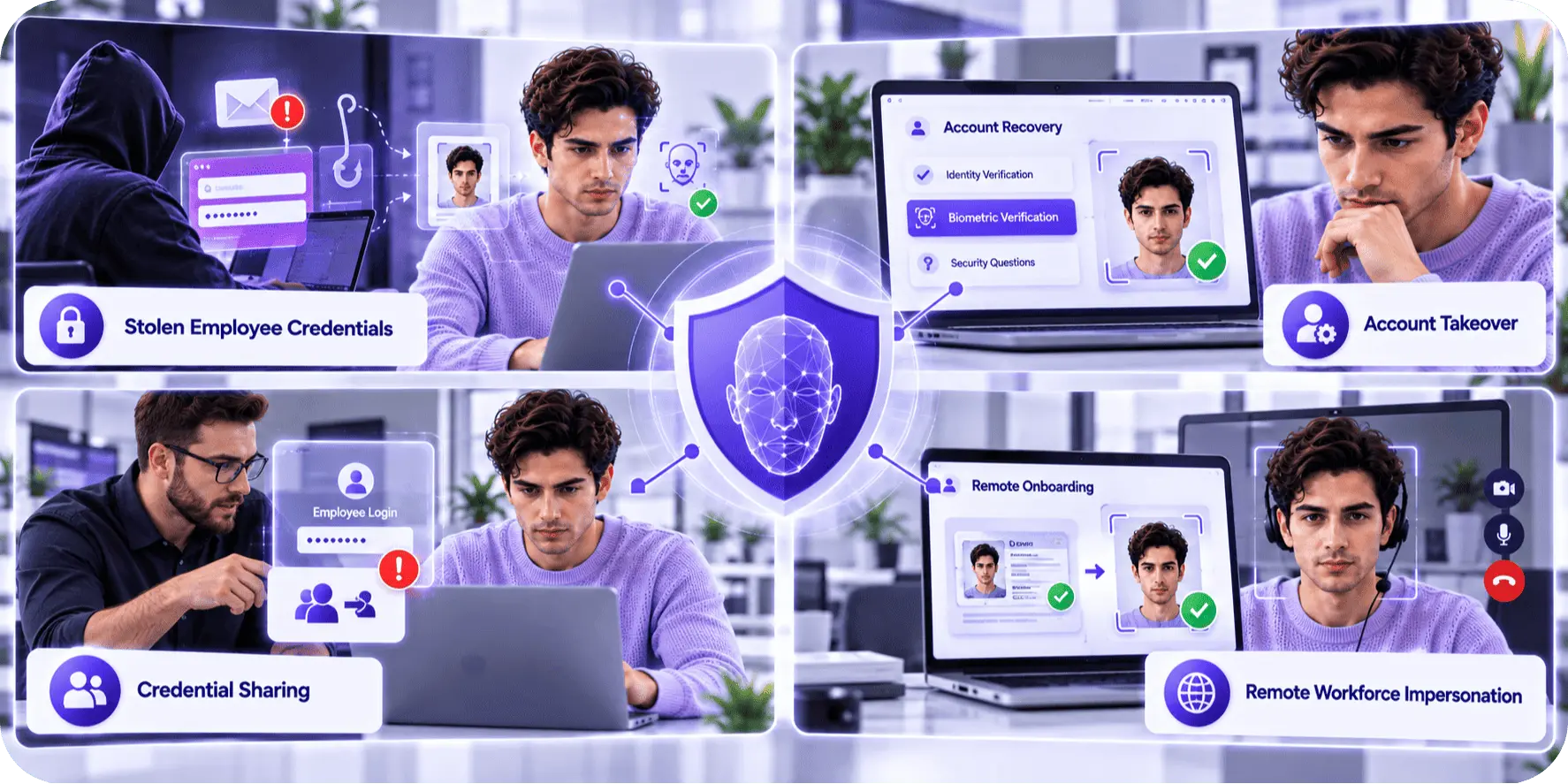
Preventing Workforce Identity Fraud
Identity fraud does not stop at customer onboarding.
Organizations can also face workforce-related risks involving stolen identities, account takeover, credential sharing, and unauthorized access.
A stronger identity process can help address several scenarios.
Stolen Employee Credentials
A criminal may obtain an employee’s credentials through phishing or another compromise.
A biometric factor can add another barrier when the employee needs to access a sensitive system.
Account Takeover
If an attacker gains control of an employee account, biometric verification can provide another identity signal during account recovery or high-risk actions.
Credential Sharing
Shared credentials can make accountability difficult.
Where appropriate, biometric authentication can strengthen the connection between the person and the employee identity.
Remote Workforce Impersonation
During remote onboarding, biometric verification can help establish that the person joining the organization corresponds with the identity being provisioned.
These controls should still be combined with strong account security, monitoring, and access policies.
The Role of Identity Proofing Before Biometric Enrollment
A biometric system depends on the quality of the identity it is associated with.
If an organization creates an employee biometric profile against an incorrectly established identity, the biometric system may simply reinforce that original mistake.
This means identity proofing should come before or alongside biometric enrollment.
The organization should establish:
- Who the employee is
- What evidence supports that identity
- Which employment record is associated with it
- Which systems the identity should access
- What level of assurance is required
Once the identity is properly established, biometric enrollment can provide an additional authentication or verification factor.
This layered model is more reliable than treating the face itself as the entire identity system.
Remote Workforce Onboarding Workflow
A practical remote workforce onboarding process can be designed around several stages.
1. Establish Employee Identity
The HR or workforce system creates the employee record and validates the required identity evidence.
2. Complete Biometric Enrollment
The employee provides a facial sample that can be associated with the established identity.
3. Perform Liveness Where Required
The organization can use liveness to strengthen the remote enrollment process against presentation attacks.
4. Link the Identity to Access Policies
The verified identity is connected to the appropriate applications, groups, privileges, and resources.
5. Activate Authentication
The employee receives the required authentication credentials and factors.
6. Monitor Higher-Risk Activity
The organization can use stronger verification when the employee performs sensitive operations or when risk signals change.
This workflow allows biometrics to operate as part of the identity lifecycle rather than as an isolated login mechanism.
Privacy and Employee Biometric Data
Workforce biometrics require careful governance.
An employee may have limited ability to negotiate how workplace technologies are used, which makes transparency and proportionality particularly important.
Organizations should determine:
- Why biometric verification is necessary
- What biometric information is processed
- Where it is processed
- Whether facial images are retained
- Whether biometric templates are stored
- How long information is retained
- Who can access it
- What happens when an employee leaves
- What alternative processes exist where required
For organizations processing European personal data, the GDPR framework is an important reference when evaluating biometric processing and employee privacy requirements.
Privacy requirements can also vary significantly across other jurisdictions.
The technology should therefore be reviewed alongside employment, privacy, security, and legal requirements before production deployment.
Accuracy and Employee Experience
A workforce biometric system should not be evaluated only by how well it blocks unauthorized attempts.
It should also work reliably for legitimate employees.
False rejections can create unnecessary friction, especially when an employee is trying to access a critical application under time pressure.
Security teams should therefore track:
- Verification success rate
- False rejection rate
- Retry rate
- Average verification time
- Device-specific failures
- Liveness failure rate
- Manual intervention
A high failure rate may indicate a capture problem rather than suspicious behavior.
Lighting, camera quality, facial angle, device differences, and other environmental conditions can all influence facial verification.
Teams can review face recognition accuracy factors when assessing the variables that may affect biometric performance.
Using Risk-Based Biometric Authentication
Biometric verification does not need to occur identically for every employee interaction.
A risk-based model can introduce stronger verification when the potential consequences justify it.
For example:
Routine access: standard enterprise authentication.
Elevated-risk event: additional biometric verification.
High-risk privileged action: biometric verification plus stronger authentication and additional risk signals.
This can reduce unnecessary friction while still strengthening protection around sensitive systems.
Risk signals may include:
- New device
- Unusual geographic location
- Unusual access time
- Privileged role
- Sensitive application
- Abnormal behavior
- Recent account recovery
The biometric result becomes one component of a broader access decision.
Biometric Security and Presentation Attacks
Security teams should evaluate presentation attack protection when facial biometrics are deployed remotely.
The ISO/IEC 30107-3:2023 standard provides principles and methods for evaluating presentation attack detection and reporting test results.
This can help organizations ask better questions of biometric technology providers.
For example:
- Which presentation attacks were tested?
- How was the testing performed?
- Which technology version was evaluated?
- Were tests independent?
- How does the result relate to the intended workforce environment?
A benchmark or security test should not be interpreted as a blanket guarantee that the entire workforce identity system is secure.
Application security, device security, access controls, and account protections still matter.
Integrating Biometric Identity With Workforce Systems
Biometric verification becomes useful when it can communicate reliably with the systems that manage employee identities.
These may include:
- HR systems
- Identity providers
- Single sign-on systems
- Access management
- Privileged access management
- Endpoint management
- Security monitoring
The biometric result should feed into the organization’s existing identity and access architecture rather than creating a disconnected identity database.
SDK-based integration can help engineering teams maintain control over how the biometric experience is presented and how the result is used.
For technical teams, the Recognito GitHub repository can provide additional implementation resources during technology evaluation.
How to Select a Workforce Biometric Solution
An organization evaluating workforce facial recognition should look beyond the matching algorithm.
Important criteria include:
- Recognition performance
- Liveness protection
- Presentation attack testing
- Platform compatibility
- SDK integration
- Scalability
- Privacy controls
- Developer documentation
- Technical support
- Long-term maintenance
The organization should also test the actual employee experience.
A biometric system may perform well in technical benchmarks but create problems when employees use different devices, different cameras, or unusual workplace conditions.
The proof of concept should therefore reflect the intended deployment.
Measuring Workforce Identity Verification Performance
A mature workforce identity program should be measured after deployment.
Security teams can monitor:
- Enrollment completion
- Verification success
- False rejection
- Authentication failures
- Liveness failures
- Retry rates
- Account recovery events
- Manual interventions
- High-risk access events
The organization should also monitor security outcomes.
For example, if biometric verification reduces unauthorized access but creates a significant increase in legitimate employee support requests, the implementation may need tuning.
The objective is not to maximize biometric friction.
It is to provide the right level of assurance for the organization’s risk.
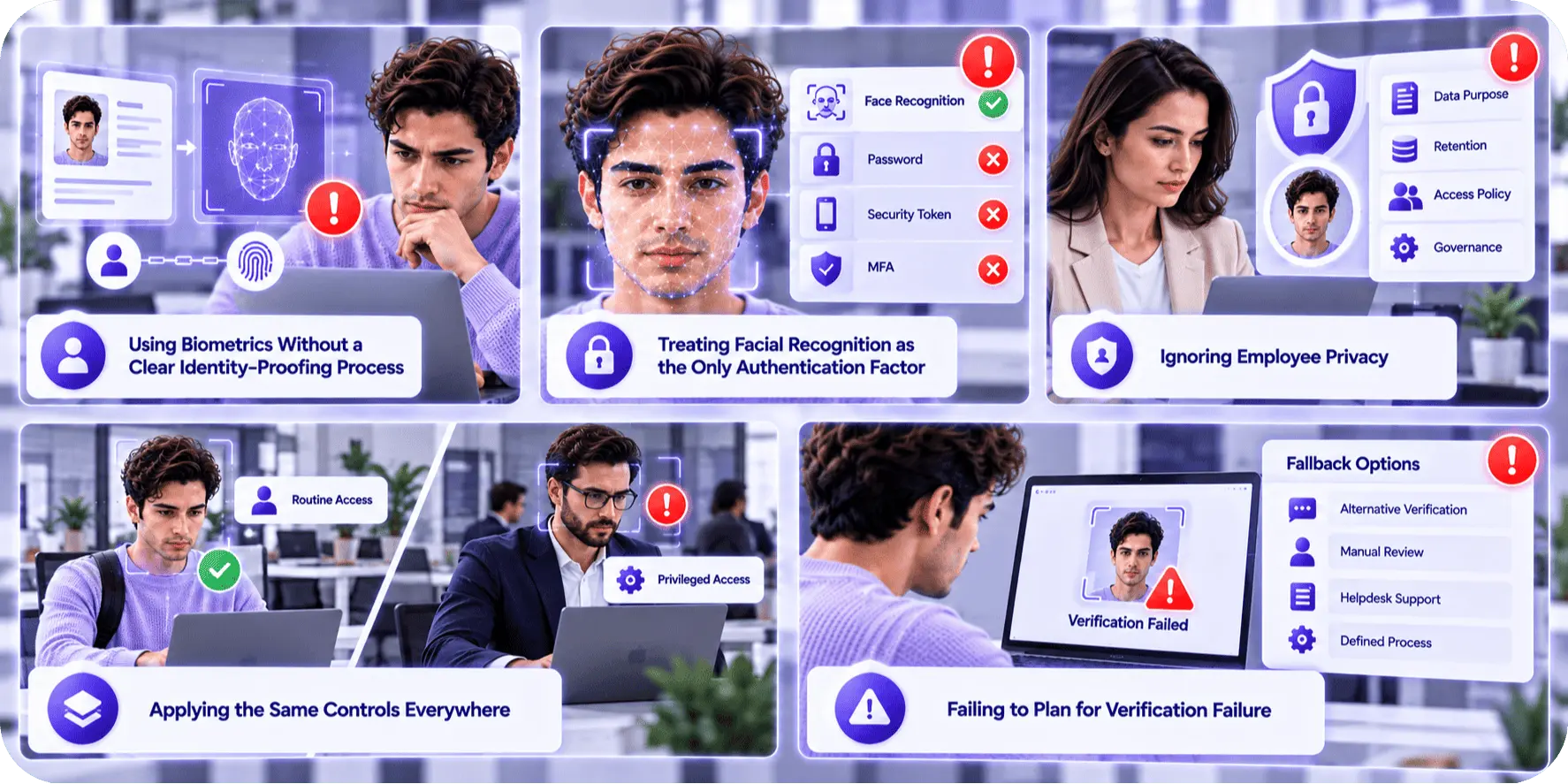
Common Workforce Biometric Implementation Mistakes
Using Biometrics Without a Clear Identity-Proofing Process
The biometric profile needs to be linked to a properly established employee identity.
Treating Facial Recognition as the Only Authentication Factor
High-risk systems may still require other authentication and security controls.
Ignoring Employee Privacy
Biometric processing should have a clearly defined purpose, retention model, access policy, and governance framework.
Applying the Same Controls Everywhere
Routine employee access and privileged administrative access do not necessarily require identical verification.
Failing to Plan for Verification Failure
Employees need a secure recovery path when biometric authentication fails.
How SDK-Based Workforce Verification Can Be Implemented
Organizations that want biometric capabilities embedded directly within their employee applications can use SDK-based technology as part of their identity architecture.
A biometric verification SDK can support employee face matching while liveness can provide an additional presentation protection layer.
Where the organization needs practical testing, the Face Biometric Playground can help teams explore facial biometric interactions before production implementation.
The surrounding identity system can then control enrollment, access policies, authentication, risk decisions, and employee lifecycle management.
This creates a clear separation of responsibilities:
Identity systems establish the employee identity.
Biometric technology provides an additional identity signal.
Access management determines what the employee can do.
Security monitoring identifies unusual behavior.
That separation makes the overall architecture easier to govern and maintain.
Building a Sustainable Workforce Identity Strategy
Workforce identity verification should evolve as the organization changes.
New employees, contractors, remote locations, applications, devices, and security threats can all change the identity landscape.
A mature program should therefore:
Review Access Risk Regularly
Determine which applications and roles require stronger identity assurance.
Reassess Biometric Performance
Monitor false rejection, verification success, device performance, and liveness results.
Update Security Controls
Review SDK versions, authentication systems, operating systems, and surrounding security controls.
Maintain Privacy Governance
Ensure biometric processing remains aligned with the organization’s stated purpose and applicable requirements.
Plan for Employee Offboarding
Biometric associations and access privileges should be removed or disabled appropriately when an employee leaves or changes role.
Conclusion
Workforce identity verification is becoming increasingly relevant as organizations move toward remote work, digital onboarding, cloud applications, and distributed access environments.
Face recognition can help connect an employee to an established identity, while liveness detection can strengthen the biometric capture process against presentation attacks.
However, successful workforce biometric implementation requires more than adding a facial recognition feature to an authentication page.
Organizations need to establish identities correctly, integrate biometrics with workforce identity systems, protect employee biometric information, monitor performance, provide secure recovery paths, and apply stronger controls where access risk is higher.
The most effective strategy is layered.
Biometric verification can complement passwords, security keys, device trust, access policies, and behavioral monitoring rather than replacing them.
Organizations evaluating SDK-based workforce identity and biometric technologies can explore the broader capabilities available from Recognito as part of their enterprise identity strategy.
Frequently Asked Questions
What is workforce identity verification?
Workforce identity verification is the process of establishing and confirming that an employee, contractor, or other authorized workforce member is the person associated with a particular enterprise identity.
How can face recognition improve employee verification?
Facial verification can provide an additional biometric signal that helps connect an employee to an established identity, particularly during remote onboarding, high-risk authentication, or sensitive access events.
Is liveness detection necessary for workforce facial recognition?
It depends on the deployment and threat model. For remote biometric verification, liveness can provide additional protection against photographs, replayed media, masks, and other presentation attacks.
Should facial recognition replace passwords for employees?
Not necessarily. For high-risk systems, biometric verification can complement passwords, security keys, device trust, and other authentication controls rather than replacing them entirely.
What should organizations consider before implementing workforce biometrics?
They should evaluate biometric performance, liveness, privacy, employee experience, device compatibility, integration with identity systems, scalability, access risk, security controls, and long-term maintenance.