
When an application needs to confirm that a user is really who they claim to be, verification has to satisfy two demands: strong resistance to impersonation and a fast enough experience that legitimate users do not abandon it.
That is where a face authentication SDK becomes useful. Instead of building camera capture, face detection, biometric matching, liveness checks, and error handling from scratch, development teams can integrate these capabilities into an existing application.
The value is not simply facial recognition. A well-designed SDK connects biometric verification with the surrounding user experience and security architecture, helping reduce unnecessary friction while creating a consistent identity-checking process.
Why Identity Checks Often Become Slow
Traditional authentication may depend on passwords, one-time codes, knowledge-based questions, or manual review. These methods can work, but passwords can be stolen, codes can be socially engineered, and manual verification becomes difficult to scale.
Even biometric systems create friction when users must switch between applications, configure specialist hardware, or repeat poorly designed capture steps.
The problem is often the workflow around the biometric model.
A face authentication SDK can bring capture and verification directly into the application. The user stays inside the same interface while software guides capture, processes the face, checks liveness, and returns a result.
NIST’s SP 800-63B-4 authentication guidance treats biometric comparison as probabilistic and notes that biometric characteristics are not secrets, making appropriate thresholds, presentation-attack defenses, and data protection important.
So speed should never define success by itself. The goal is faster verification without weakening assurance.
What a Face Authentication SDK Handles
An SDK packages technical capabilities into components developers can integrate into an application. For face authentication, these may include:
- camera access and face capture
- face detection and alignment
- image-quality assessment
- facial feature extraction
- one-to-one face matching
- liveness or presentation-attack detection
- confidence scoring
- error and retry handling
A typical flow starts when the app opens the camera and detects a face. The SDK checks whether the sample is usable, creates a biometric representation, and compares it with an enrolled reference.
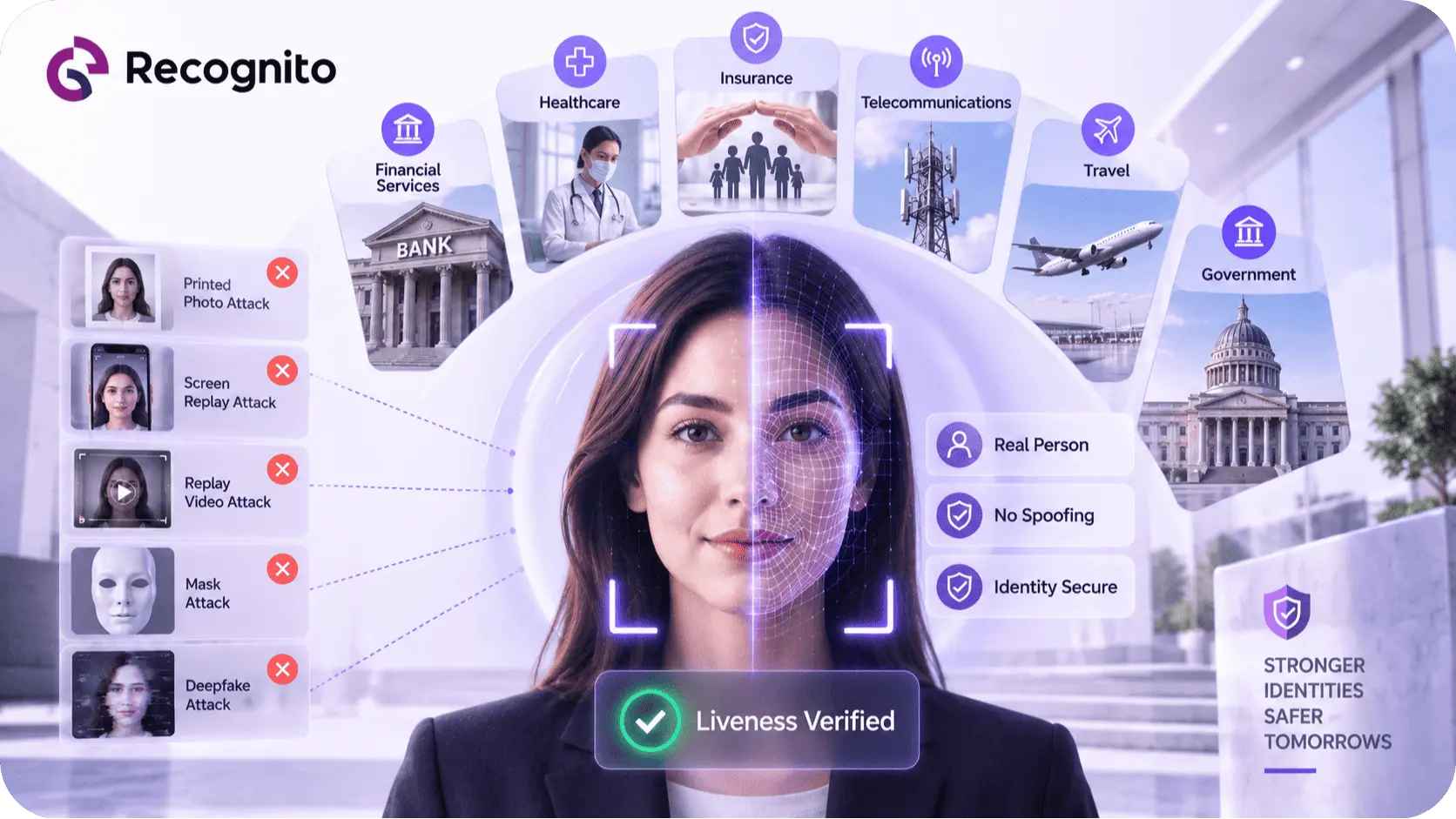
A liveness layer can run alongside matching to determine whether the input appears to come from a live subject rather than a photograph, replay, or other presentation attack.
The application then receives the outcome and applies its own business rules. This separation matters: the SDK provides biometric capabilities, while the application decides what a successful verification means in its specific workflow.
How SDK Integration Makes Verification Faster
Speed comes from several parts of the implementation.
Fewer handoffs: Users do not need to leave the application to complete a biometric check.
Prebuilt capture logic: Mature SDKs can handle face positioning, capture states, quality checks, and retries without developers creating every state themselves.
Local processing options: Depending on the architecture, some biometric processing may occur on the device, reducing network dependency and potentially improving latency.
Better failure handling: Real-time feedback can help users correct framing or lighting problems before a poor sample reaches the matching stage.
For a broader look at where this technology fits across authentication and identity workflows, see face authentication SDK benefits and use cases.
Faster Does Not Mean Less Secure
Convenience and security do not always need to move in opposite directions. Poor systems create friction by making users perform unnecessary actions. Better systems reduce friction by improving capture and decision quality without removing important controls.
A face authentication SDK should therefore be evaluated across:
- matching accuracy
- false acceptance and rejection behavior
- liveness performance
- image-quality handling
- demographic performance
- latency
- failure recovery
- device compatibility
FIDO’s Face Verification requirements show the broader industry focus on accuracy, liveness, usability, and rigorous testing for remote face-verification systems.
A fast result is only valuable when the underlying decision is trustworthy.
The Role of Liveness Detection
Face matching asks whether a captured face resembles the reference. It does not automatically establish that the person is physically present.
An attacker may present a photograph, replayed video, mask, manipulated media, or injected image stream. Liveness detection adds a separate layer designed to assess whether the biometric sample is associated with a live presentation.
This becomes especially important for internet-facing applications. A remote attacker only needs to influence the input reaching the biometric system.
Liveness should therefore be treated as part of the authentication architecture, not as an optional visual feature. NIST’s current guidance requires presentation attack detection for facial recognition in its covered authentication scenarios and also requires biometric performance testing and protection of sensitive biometric information.
A face liveness SDK can provide this additional layer, while a face biometric playground can help teams explore biometric behavior before final implementation.
Face Authentication SDK vs. Building In-House
Building a biometric system internally can provide deep control, but it also creates ongoing responsibility for camera integration, face detection, preprocessing, matching, liveness defenses, platform differences, testing, and updates.
An SDK shifts much of this work into a reusable component.
| Consideration | Build in-house | Use a face authentication SDK |
| Initial engineering effort | High | Lower |
| Biometric maintenance | Internal | Mostly provider-led |
| Capture logic | Build and maintain | Usually packaged |
| Liveness | Build and test | Often included |
| Platform support | Internal testing | SDK-supported |
| Customization | Very high | Provider-dependent |
| Time to pilot | Longer | Usually shorter |
| Ongoing maintenance | Internal | Shared or provider-led |
The choice depends on the team’s capabilities and risk profile. A highly specialized organization may want deeper control, while a company needing a dependable biometric workflow quickly may value a mature SDK.
Teams comparing implementation options can use face recognition SDK evaluation criteria to assess performance, integration, platform coverage, and operational fit.
Where Face Authentication SDKs Deliver Value
Digital banking and fintech
Facial verification can support account access, recovery, step-up authentication, and remote identity workflows. Faster verification matters because friction can affect conversion.
Remote identity verification
A smartphone camera can become the capture interface, avoiding dedicated biometric hardware.
Workforce authentication
Organizations may use facial biometrics for internal access where the technology and authentication architecture are appropriate.
Account recovery
Recovery processes are attractive targets for attackers because they can bypass otherwise strong login controls. Biometric verification can add another identity signal, but recovery still needs strong controls.
High-risk transactions
A face check can serve as a step-up control when a transaction or account event requires stronger confidence.
These use cases have different requirements. An enrolled-user authentication flow is not the same as first-time remote identity proofing, so the SDK should be evaluated against the exact scenario.
Accuracy Depends on More Than the Model
There is no single accuracy number that completely describes a biometric system.
Matching is threshold-based. A lower acceptance threshold may make legitimate matching easier but increase incorrect matches. Raising it may strengthen the barrier against impostors but increase legitimate-user failures.
The business must choose an operating point according to risk.
Quality also matters before matching begins. Poor lighting, blur, face angle, occlusion, and low-resolution input can cause avoidable failures. A strong SDK should therefore help the application capture better evidence instead of simply providing a better matcher.
ISO’s biometric performance testing standard provides principles for testing and reporting biometric performance, helping organizations make more meaningful comparisons.
Device and Environment Variability
A laboratory environment is not the same as a production application. Users have different phones, cameras, lighting conditions, network connections, and technical abilities.
Test the complete flow under conditions such as:
- uneven or low lighting
- backlighting
- common occlusions
- motion blur
- older mobile devices
- slow connections
- camera permission failures
- interrupted sessions
- repeated retries
- different user demographics
The goal is to determine whether the SDK remains usable and secure when the environment is less controlled.
Privacy and Biometric Data
Facial characteristics are sensitive. The ability to verify a face does not determine whether a particular data architecture is appropriate.
Teams should establish what is collected, whether raw images are retained, where processing occurs, how templates are protected, who can access them, and when information is deleted.
NIST’s authentication guidance states that biometric data should be treated and secured as sensitive personal information and notes the privacy concerns associated with central biometric comparison.
A system that achieves fast authentication but stores more biometric information than necessary can create avoidable risk.
Biometrics Work Best as Part of a Larger Security Design
A face authentication SDK should not be treated as a complete security system.
NIST’s current authentication framework explains that biometrics are not authenticators by themselves in the covered model. They are used with a physical authenticator, with biometric comparison serving as an activation factor in applicable scenarios.
That creates a broader engineering principle: each security component should have a defined role.
The SDK provides biometric capability. Device security, cryptographic credentials, account controls, session protection, recovery safeguards, and monitoring provide additional defenses.
For a broader comparison of authentication approaches, see biometric authentication vs traditional authentication.
What Developers Should Test Before Production
Do not test only the successful path.
Capture reliability: Does the camera work consistently across supported devices?
Latency: How long does the user wait for a decision?
Failure clarity: Does the app explain what went wrong clearly?
Liveness behavior: Does the security layer address relevant presentation attacks without excessive friction?
Thresholds: Are false acceptance and rejection rates appropriate for the workflow?
Fallbacks: What happens when the face check cannot be completed?
Privacy: Are biometric samples and templates handled appropriately?
Monitoring: Can the team detect unusual changes in failure or attack rates?
The integration boundary should also be clear. The SDK should return understandable outcomes that the application can incorporate without hiding critical decisions inside an opaque workflow.
For developers, the Recognito GitHub repository can complement product documentation and integration testing.
Business Impact Beyond Verification Speed
Faster verification can improve more than login performance.
Reducing manual review and unnecessary retries can lower operating costs. A smoother flow can improve completion rates. Consistent capture and decision logic can reduce support problems caused by fragmented implementations.
The gains can compound when the same biometric identity layer supports enrollment, authentication, account recovery, and high-risk actions.
That requires careful lifecycle management, particularly around enrollment, identity re-binding, credential recovery, and device changes.
Conclusion
A face authentication SDK delivers faster and safer identity checks when it provides more than a face-matching model.
The strongest implementations combine reliable capture, image-quality handling, biometric matching, liveness detection, useful error states, and secure integration with the broader authentication architecture.
For organizations evaluating this approach, the real question is whether the complete solution can produce trustworthy decisions quickly, work across realistic devices and environments, resist relevant attacks, protect biometric data, and fit the organization’s operating model.
For teams building camera-based biometric workflows, Recognito provides technologies that can support practical facial authentication and identity-verification deployments.
Frequently Asked Questions
What is a face authentication SDK?
A face authentication SDK is a software toolkit that helps developers integrate facial biometric authentication into an application. It may include face capture, detection, matching, liveness detection, quality checks, and result handling.
Does a face authentication SDK make identity verification more secure?
It can improve security when it combines accurate biometric matching with appropriate liveness defenses and is integrated into a layered authentication architecture.
Can face authentication work without specialized hardware?
Yes. Camera-based implementations can use smartphones, tablets, laptops, or other supported devices, although performance depends on the device and capture environment.
Is facial recognition enough for strong authentication?
Not necessarily. Biometrics should fit into a broader authentication architecture with appropriate credentials, device protections, and security controls.
What should developers evaluate before choosing an SDK?
Look at biometric performance, liveness, device support, latency, capture reliability, privacy architecture, integration complexity, error handling, testing methodology, and fit with the exact authentication workflow.